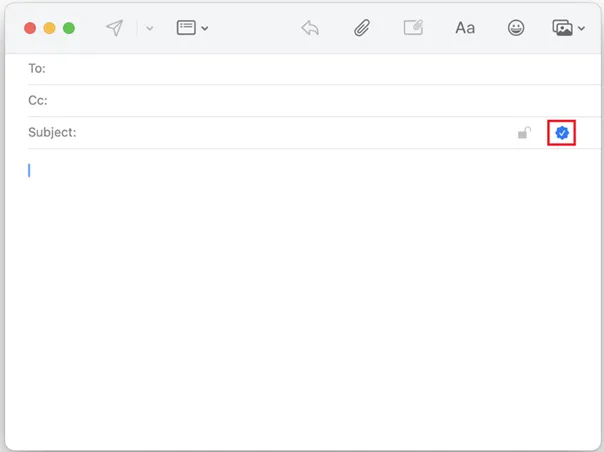
Signing of an e-mail in MacOS Mail application
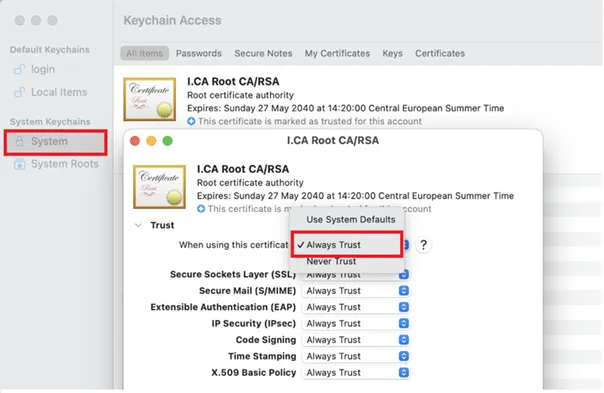
First it is necessary to manually set the trust for the I.CA root certificate.
It is necessary to open the “Keychain” and then choose “System” on the left side. Then search for the root certificate “I.CA Root CA/RSA”. Click on this certificate by the right button on your mouse, choose “Information” and give the trust to the certificate as you can see on the picture below.
Image
Then just start the Mail application and start to write a new message. The e-mail will be signed automatically. You will always see a blue check mark in the signed message (see in the picture below).
The e-mail from which you want to send electronically signed messages must be same as the e-mail given in the certificate.
Image